

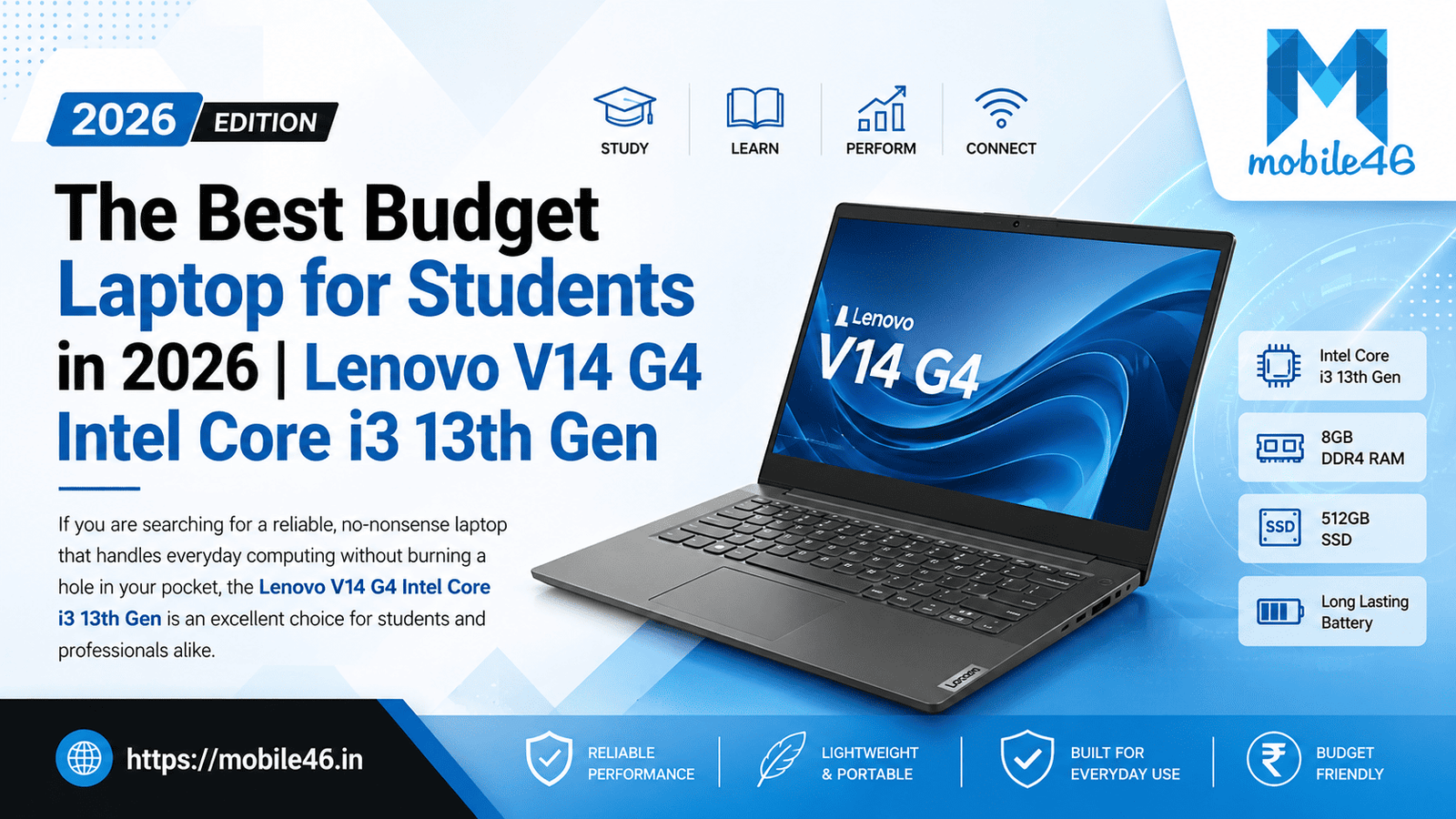
If you are searching for a reliable, no-nonsense laptop that handles everyday computing without burning a hole in your pocket, the Lenovo V14 G4 Intel Core i3 13th Gen deserves serious consideration. Packed with the 13th Generation Intel Core i3-1315U processor, 8GB of RAM, a 512GB SSD, and running Windows 11 Home, this laptop is Lenovo’s answer to the growing demand for affordable yet capable machines in the Indian market.
Lenovo V14 G4 Intel Core i3 13th Gen: Quick Overview
The Lenovo V14 G4 (IRU) is a business-class budget laptop built for productivity. It belongs to Lenovo’s V-series – a line designed specifically for professionals and students who need dependable performance at an accessible price point. The 13th Gen Intel Core i3-1315U processor gives this machine a meaningful upgrade over its predecessor, combining two high-performance P-cores and four efficiency E-cores for a smarter workload balance.
Key Highlights
- Processor: Intel Core i3-1315U (13th Gen, 6 cores / 8 threads)
- Display: 14-inch Full HD (1920×1080) Anti-Glare IPS Panel
- RAM: 8GB DDR4 (expandable up to 32GB)
- Storage: 512GB M.2 NVMe PCIe SSD
- Graphics: Intel UHD Graphics (integrated)
- OS: Windows 11 Home
- Battery: 38Wh Li-Polymer
- Weight: Approximately 1.57 kg
- Build Standard: MIL-STD-810H certified
Lenovo V14 G4 Specifications Table
| Feature | Specification |
|---|---|
| Processor | Intel Core i3-1315U (13th Gen), 6 Cores (2P + 4E), 8 Threads, up to 4.5 GHz |
| RAM | 8GB DDR4-3200MHz (1 slot, expandable up to 32GB) |
| Storage | 512GB M.2 NVMe PCIe 4.0 SSD (2242/2280 format) |
| Graphics | Intel UHD Graphics (integrated) |
| Display | 14.0-inch FHD (1920×1080), IPS, Anti-Glare, 250–300 nits |
| Operating System | Windows 11 Home |
| Battery | 38Wh Li-Polymer, 2-cell |
| Charging | 65W USB-C adapter; Rapid Charge (80% in ~1 hour) |
| Wi-Fi | Wi-Fi 6 (802.11ax, 2×2) |
| Bluetooth | Bluetooth 5.2 |
| Ethernet | 100/1000M (RJ-45) |
| Webcam | HD 720p with Privacy Shutter |
| Ports | 1× USB 2.0, 1× USB 3.2 Gen 1 (Type-A), 1× USB-C 3.2 Gen 1 (Data + Power Delivery + DisplayPort 1.2), 1× HDMI 1.4b, 1× 3.5mm Audio Combo Jack, 1× RJ-45 Ethernet |
| Audio | Stereo Speakers (1.5W × 2), Dolby Audio, 2× Array Microphones |
| Keyboard | Full-size, non-backlit |
| Dimensions | 324.2 × 215.2 × 19.9 mm |
| Weight | ~1.57 kg |
| Color | Iron Grey |
| Build Certification | MIL-STD-810H (military-grade durability) |
| Warranty | 1 Year On-Site |
| Price (India) | Approx. ₹40,000–₹50,000 (varies by retailer and configuration) |
Design and Build Quality
A Professional Look That Lasts
The Lenovo V14 G4 sports a clean, understated Iron Grey finish that immediately communicates professionalism. There are no flashy accents or gaming-inspired aesthetics — this is a machine built for work, and it looks the part. The lid and base are made of a sturdy plastic composite that feels solid in hand without adding unnecessary weight.
What sets this laptop apart in its price range is its MIL-STD-810H certification, meaning it has been tested against military-grade standards for temperature extremes, shock, vibration, and humidity. For students who carry their laptops in crowded buses or stuff them into bags without much care, this durability assurance is genuinely valuable.
Portability and Weight
At approximately 1.57 kg and a profile of just 19.9mm, the V14 G4 is comfortable to carry in a backpack all day. It is not the slimmest laptop in its class, but the weight and form factor are entirely practical for daily commutes between classrooms, libraries, and offices.
Keyboard and Trackpad
The full-size keyboard offers a comfortable typing experience with adequate key travel — a consideration Lenovo rarely overlooks. The layout is well-spaced and the keys provide decent tactile feedback, making long typing sessions feel manageable. One notable drawback is the absence of a backlit keyboard, which can be inconvenient for late-night study sessions or work in dimly lit environments.
The trackpad is smooth, accurate, and supports multi-finger gestures. It is not the largest trackpad you will find, but it handles navigation and scrolling reliably. Users who rely heavily on the trackpad for extended use may want to pair a USB or Bluetooth mouse.
Display Quality
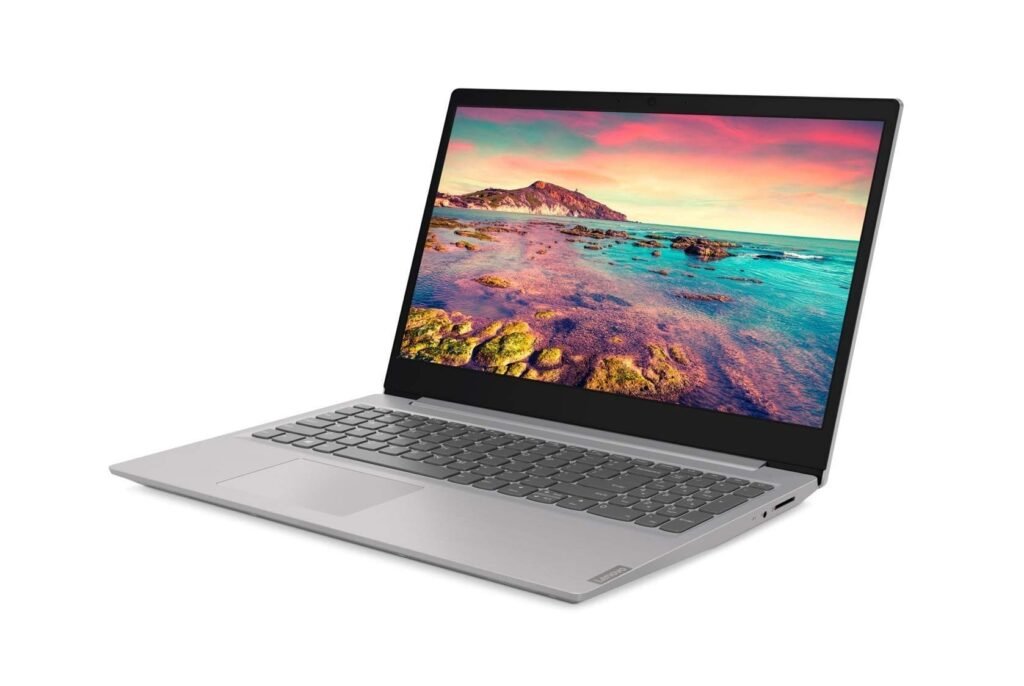
14-Inch FHD IPS — Solid but Not Stunning
The V14 G4 features a 14-inch Full HD (1920×1080) IPS anti-glare display. For a laptop priced under ₹50,000, the screen does its job well. The anti-glare coating is particularly useful for students who work near windows or under fluorescent classroom lighting – reflections stay in check.
The panel covers around 45% of the NTSC color gamut, which is acceptable for everyday document work and video streaming but falls short for color-critical creative work. Brightness is rated at 250–300 nits, which is comfortable for indoor use but may require manual adjustment in brightly lit outdoor environments.
Viewing angles are decent for an IPS panel – colors and contrast remain reasonably stable when viewing from the side, which makes the V14 G4 suitable for group project presentations or video calls with a partner nearby.
For online classes and video conferencing, the display is entirely adequate. Text appears sharp at 1080p, lecture slides are easy to read, and the anti-glare surface reduces fatigue during extended sessions.
Performance Review
Intel Core i3-1315U: What Makes It Special
The Intel Core i3-1315U is based on Intel’s 13th Generation Raptor Lake architecture. Unlike older i3 processors with just two cores, this chip brings a hybrid design with 2 Performance cores (P-cores) and 4 Efficiency cores (E-cores) — totalling 6 cores and 8 threads. The P-cores reach up to 4.5 GHz while the E-cores handle background and lighter tasks at up to 3.3 GHz.
This hybrid architecture enables the processor to intelligently assign tasks, keeping power consumption low during idle use while offering a real performance boost when needed. The result is noticeably faster responsiveness compared to older entry-level processors.
Real-World Performance
Office work and document editing: The V14 G4 handles Microsoft Word, Excel, PowerPoint, and similar productivity applications with zero complaints. Files open quickly, transitions are smooth, and the system does not stutter even when multiple documents are open at once.
Web browsing: Loading 15–20 Chrome tabs simultaneously is manageable. Video playback on YouTube or streaming platforms at 1080p is completely fluid with no dropped frames.
Online classes and video conferencing: Zoom, Google Meet, and Microsoft Teams all run without issues. The 720p webcam with privacy shutter is adequate for virtual meetings, and the dual-array microphone picks up voice clearly.
Multitasking: With 8GB of RAM, you can comfortably run a browser, a document editor, a media player, and a communication app at the same time. However, pushing much beyond that may cause noticeable slowdowns — particularly with RAM-heavy applications. Upgrading to 16GB would significantly improve the multitasking experience.
Programming: For students learning web development, Python scripting, or working with lightweight IDEs like VS Code, the V14 G4 performs admirably. Compilation times for small-to-medium projects are acceptable, though larger codebases with heavy build processes will test the processor’s limits.
Light content creation: Basic photo editing in software like Photoshop (with smaller files), video editing at 1080p in DaVinci Resolve (timeline trimming, not heavy rendering), and graphic design work in Canva or Inkscape are all feasible, though patience is required for export-heavy tasks.
RAM and Storage Performance
8GB RAM: Enough for Essentials, Limited for Power Users
The 8GB DDR4-3200MHz RAM configuration is standard for a laptop in this price range. It comfortably handles general productivity, casual browsing, and light multitasking. However, users who run multiple virtual machines, work with large datasets, or use memory-intensive creative software will encounter limitations.
The good news is that the V14 G4 has one RAM slot that supports expansion up to 32GB, making it future-proof for users who may want to upgrade down the line.
512GB NVMe SSD: Fast and Spacious
The 512GB M.2 NVMe PCIe SSD is one of this laptop’s standout features. Boot times are typically under 15 seconds, application loading is near-instant, and file transfers are significantly faster than what any HDD-based machine can offer. For students managing large project files, recorded lectures, and assignments, 512GB provides enough breathing room.
The SSD slot also supports additional or replacement drives in 2242/2280 formats, meaning storage upgrades are possible if needed.
Graphics Performance
Intel UHD Graphics – For Everyday Media, Not Gaming
The integrated Intel UHD Graphics handles media consumption and casual tasks with ease. 4K video playback, streaming at high quality, and watching movies are all smooth experiences. The display also supports external monitors via the HDMI 1.4b or USB-C DisplayPort 1.2, enabling a dual-screen productivity setup.
For gaming, expectations must be realistic. Light and older titles – think GTA: Vice City, Minecraft (low settings), Among Us, Roblox, or Counter-Strike 1.6 — can run at modest frame rates. Modern AAA games at any acceptable quality setting are beyond this integrated chip’s capability. The V14 G4 is not designed for gaming, and Lenovo makes no such claim.
Battery Life and Charging
38Wh Battery: Functional but Not All-Day
The V14 G4 houses a 38Wh Li-Polymer battery. Under light use — document editing, web browsing, or streaming — expect 5–6 hours of real-world battery life. Heavier workloads such as sustained video calls or resource-intensive tasks will bring that figure closer to 3–4 hours.
The laptop supports Rapid Charge technology, capable of charging the battery to 80% in approximately one hour via the 65W USB-C adapter. This is a genuinely useful feature for students rushing between classes with limited access to power outlets.
For all-day use without a charger, this battery may fall short for some users. Carrying the lightweight 65W USB-C charger is advisable for full-day work sessions.
Connectivity and Ports
A Practical Port Selection
The V14 G4 covers the essential connectivity bases well:
- 1× USB 2.0 (Type-A) — for peripherals like mice and keyboards
- 1× USB 3.2 Gen 1 (Type-A) — for faster data transfers to external drives
- 1× USB-C 3.2 Gen 1 — supports data transfer, Power Delivery (charging), and DisplayPort 1.2 (external monitor output)
- 1× HDMI 1.4b — for projectors, TVs, or external monitors
- 1× 3.5mm audio combo jack — for headphones and headsets
- 1× RJ-45 Ethernet — wired internet connection, invaluable in offices and college labs
- Wi-Fi 6 (802.11ax) — fast and efficient wireless connectivity
- Bluetooth 5.2 — for wireless peripherals and audio devices
The inclusion of a wired Ethernet port is a differentiator that many slim consumer laptops skip — a practical advantage for students in college labs or office workers who prefer stable wired connections. The USB-C port’s ability to handle charging, display output, and data simultaneously makes it versatile despite being just one port.
One notable omission is an SD card reader, which content creators may find limiting.
Lenovo V14 G4 for Students
Is It the Best Laptop for Students Under 50,000?
The Lenovo V14 G4 Intel Core i3 13th Gen makes a compelling case as one of the best laptops for students under 50,000 in India. Here is why:
- Academic performance: All standard study tools — LibreOffice, Google Docs, Zoom, Microsoft Teams, web browsers — run smoothly.
- Portability: At 1.57 kg, it is light enough for daily college commutes without causing backpack strain.
- Durability: MIL-STD-810H certification means it survives the occasional bump, bag compression, or temperature variation common in student life.
- Fast storage: The NVMe SSD makes booting up between classes and opening large PDFs or presentations near-instant.
- Expandability: 8GB RAM can be upgraded, and storage can be expanded — protecting your investment as academic demands grow.
- Budget value: Priced in the Rs 40,000–Rs 50,000 range, it competes strongly against similarly priced alternatives.
For online learning, video lectures, assignments, coding coursework, and group projects, the V14 G4 is more than capable.
Lenovo V14 G4 for Office Work
Productivity Without Compromise
The V14 G4 was designed with business users in mind, and it shows. For remote work and office productivity, the laptop handles:
- Microsoft Office (Word, Excel, PowerPoint): Flawless for document creation, spreadsheet management, and presentations.
- Email and communication: Outlook, Gmail, Slack, and Teams all run comfortably.
- Data entry and ERP software: Lightweight business applications and browser-based tools work smoothly.
- Video conferencing: The HD webcam and dual microphones deliver acceptable call quality for daily meetings.
- Dual-monitor setup: Via HDMI and USB-C DisplayPort, users can extend to two external monitors for a full desktop-like setup.
The wired Ethernet port also ensures a stable, uninterrupted connection during critical video calls or VPN-based remote work sessions.
Lenovo V14 G4 vs Lenovo IdeaPad Slim 3
One of the most common comparisons made by budget laptop buyers is between the V14 G4 and the popular lenovo-ideapad-slim-3. Both are Lenovo products targeting similar audiences, but they serve subtly different purposes.
| Feature | Lenovo V14 G4 (i3 13th Gen) | Lenovo IdeaPad Slim 3 (i3 13th Gen) |
|---|---|---|
| Processor | Intel Core i3-1315U | Intel Core i3-1305U / 1315U |
| RAM | 8GB DDR4 (expandable to 32GB) | 8GB LPDDR5 (soldered, limited upgrade) |
| Display | 14-inch FHD IPS Anti-Glare | 15.6-inch FHD IPS Anti-Glare |
| Battery | 38Wh (~5–6 hrs) | 47Wh (~7–8 hrs) |
| Ethernet Port | Yes (RJ-45 built-in) | No (dongle required) |
| SD Card Reader | No | Yes |
| Backlit Keyboard | No | Yes (on most models) |
| Fingerprint Sensor | No | Yes (on select models) |
| Build Certification | MIL-STD-810H | No military-grade certification |
| Weight | ~1.57 kg | ~1.62 kg |
| Design | Business-oriented, Iron Grey | Consumer-friendly, Arctic Grey |
| Price (India) | ₹40,000–₹50,000 | ₹45,000–₹55,000 |
| Target User | Business/student (durability focus) | Student/home user (features focus) |
Verdict: If you prioritize durability, Ethernet connectivity, and RAM upgradability, the V14 G4 wins. If you prefer a larger display, longer battery life, backlit keyboard, and fingerprint sensor, the IdeaPad Slim 3 is worth considering.
Pros and Cons
Pros
- 13th Gen Intel Core i3-1315U with hybrid P-core + E-core architecture for smart performance
- MIL-STD-810H military-grade durability — built to survive everyday student and office use
- Fast 512GB NVMe SSD ensuring quick boot times and snappy application loading
- RAM upgradeable up to 32GB via the accessible single DIMM slot
- Wi-Fi 6 support for faster, more efficient wireless connectivity
- Built-in RJ-45 Ethernet port — a rare feature at this price point
- USB-C with Power Delivery and DisplayPort — versatile single-cable connectivity
- Windows 11 Home pre-installed — ready for immediate productivity use
- Rapid Charge technology — 80% charge in approximately one hour
- Compact and portable — 1.57 kg body fits comfortably in any student or office bag
- Anti-glare FHD IPS display reduces eye strain in varied lighting conditions
- Dolby Audio stereo speakers offer above-average audio quality for a budget laptop
Cons
- No backlit keyboard — typing in low-light environments requires adjustment
- 38Wh battery is below average — may not last a full day of heavy use
- No dedicated GPU — rules out gaming and GPU-accelerated creative work
- 720p webcam — functional but not suitable for professional-quality video calls
- No SD card reader — content creators using cameras will need an adapter
- 45% NTSC color coverage — display is not accurate enough for color-critical design work
Who Should Buy the Lenovo V14 G4?
The V14 G4 is an excellent fit for:
- Students: From school to college, it handles all academic tasks efficiently and withstands the rigours of campus life.
- Teachers and educators: A dependable machine for lesson preparation, online teaching, and administrative tasks.
- Office workers: Handles email, spreadsheets, presentations, and video conferencing without a hitch.
- Freelancers: Writers, data analysts, virtual assistants, and remote customer support professionals will find it more than adequate.
- Small business owners: A cost-effective workhorse for day-to-day operations, billing software, and communication.
Read Also: MacBook Pro M5: Reviews, Prices, and Best Deals for Students
Who Should Avoid It?
The V14 G4 is not the right choice if you:
- Play modern PC games — the integrated Intel UHD Graphics cannot run GPU-intensive titles at playable frame rates.
- Work in video editing or 3D rendering — rendering and export tasks will be painfully slow without a dedicated GPU.
- Need a long-lasting battery — professionals who spend 8+ hours away from power outlets will find the 38Wh battery limiting.
- Do color-accurate graphic design — the 45% NTSC display is not suitable for professional design or photo editing work.
- Require a backlit keyboard — those who frequently work in low-light settings will find the lack of backlighting frustrating.
Lenovo V14 G4 Price and Value for Money
In India, the Lenovo V14 G4 Intel Core i3 13th Gen with 8GB RAM and 512GB SSD is typically priced between ₹40,000 and ₹50,000 depending on the retailer, variant (Windows Home vs Pro), and bundled software. Some configurations with 16GB RAM or Windows 11 Pro may cost slightly more.
At this price, you get:
- A 13th Gen Intel processor that outperforms most older i5 chips from two or three generations ago
- A fast NVMe SSD that is becoming the baseline expectation
- Military-grade durability
- Wi-Fi 6 and Bluetooth 5.2
- A business-ready port selection including Ethernet
Compared to rivals like the HP 255 G9, Dell Inspiron 14, and Acer Aspire 3 in the same price bracket, the V14 G4 holds its own — particularly on durability, connectivity, and upgrade potential. Its long-term value is solid for users who plan to keep a laptop for 4–5 years.
Final Verdict
The Lenovo V14 G4 Intel Core i3 13th Gen is a well-rounded, dependable laptop that excels where it matters most for its target audience. Its 13th Gen hybrid processor delivers responsive everyday performance, the 512GB NVMe SSD makes for a snappy user experience, and the MIL-STD-810H certification adds durability confidence that is rare at this price point.
For students seeking the best laptop for students under 50,000, this machine checks most of the boxes. Freelancers, teachers, and office professionals will find it equally capable for their daily workloads. The lack of a backlit keyboard, the modest 38Wh battery, and the absence of dedicated graphics are limitations worth knowing, but they are expected trade-offs at this budget.
If your primary needs are productivity, portability, and reliability — and you do not need a machine for gaming or heavy creative work — the Lenovo V14 G4 Intel Core i3 13th Gen is a purchase you are unlikely to regret.
Overall Rating: 7.8 / 10
| Category | Rating |
|---|---|
| Performance | 7.5/10 |
| Display | 7/10 |
| Battery Life | 6.5/10 |
| Build Quality | 8.5/10 |
| Keyboard & Trackpad | 7/10 |
| Connectivity | 8.5/10 |
| Value for Money | 8.5/10 |
Frequently Asked Questions (FAQ)
1. Is Lenovo V14 G4 good for students?
Yes, the Lenovo V14 G4 is an excellent choice for students. Its 13th Gen i3 processor handles academic tasks efficiently, the 512GB SSD offers ample storage for notes and files, and the MIL-STD-810H build quality makes it resilient enough for daily campus use. It is one of the best laptops for students under Rs 50,000 in India.
2. Does Lenovo V14 G4 support RAM upgrades?
Yes. The V14 G4 has a single RAM slot that supports upgrades up to 32GB. The standard 8GB DDR4 configuration can be replaced with a larger SODIMM module, which is a significant long-term advantage over laptops with soldered RAM.
3. Is Lenovo V14 G4 suitable for programming?
Absolutely. For learning Python, JavaScript, Java, web development, or working with lightweight IDEs like VS Code, the V14 G4 performs well. Students pursuing computer science or software engineering courses will find it adequate for their curriculum. Heavier development environments or large build processes may require patience.
4. Can Lenovo V14 G4 run Windows 11 smoothly?
Yes. Windows 11 Home runs smoothly on the V14 G4. The 13th Gen Intel i3-1315U exceeds Microsoft’s requirements, and the NVMe SSD ensures fast startup and system responsiveness. The laptop ships with Windows 11 Home pre-installed.
5. Is Lenovo V14 G4 good for office work?
Yes. The V14 G4 is designed with office productivity in mind. It handles Microsoft Office, email clients, video conferencing tools like Zoom and Teams, browser-based applications, and ERP software without performance issues. The Ethernet port is a bonus for stable wired connections in corporate environments.
6. What is the battery life of Lenovo V14 G4?
The V14 G4 has a 38Wh battery that offers approximately 5–6 hours of battery life under light use. Heavier workloads, video streaming, or video calls reduce this to around 3–4 hours. Rapid Charge technology restores the battery to 80% in about one hour.
7. Does Lenovo V14 G4 have SSD storage?
Yes. The V14 G4 comes with a 512GB M.2 NVMe PCIe 4.0 SSD as standard in this configuration. It delivers fast boot times (under 15 seconds), rapid application loading, and swift file transfers.
9. Is Lenovo V14 G4 better than Lenovo IdeaPad Slim 3?
It depends on your priorities. The V14 G4 offers superior durability (MIL-STD-810H), a built-in Ethernet port, and upgradeable RAM. The IdeaPad Slim 3 typically offers a larger screen, better battery life, a backlit keyboard, and a fingerprint sensor. Business and student users who value ruggedness should opt for the V14 G4, while home users who want more features may prefer the Slim 3.
10. Is Lenovo V14 G4 worth buying in 2026?
Yes. The 13th Gen Intel i3-1315U continues to be a competent processor for everyday tasks in 2026. Combined with a fast NVMe SSD, Wi-Fi 6, and a military-grade chassis, the V14 G4 remains a strong value proposition for students and professionals who do not need a dedicated GPU.
11. What games can run on Lenovo V14 G4?
Older and lightweight games run reasonably well on the integrated Intel UHD Graphics. Titles like Minecraft (low settings), GTA: Vice City, Among Us, Roblox, DOTA 2 (low settings), and similar games are playable. Modern AAA titles like GTA V, Valorant (at minimum settings), or Call of Duty are not recommended.
12. How portable is Lenovo V14 G4?
The V14 G4 weighs approximately 1.57 kg and measures 19.9mm in thickness — light and slim enough for daily commuting in a backpack. It is one of the more portable options in the budget business laptop segment.
13. What are the best alternatives to Lenovo V14 G4?
Strong alternatives in the same price bracket include the ASUS VivoBook 14 (i3 1315U), Acer Aspire 3 (13th Gen i3), HP 245 G9 (Ryzen 5), and the Lenovo IdeaPad Slim 3 (i3 1315U). Each has its own strengths — the HP and ASUS models often include backlit keyboards, while the Acer Aspire 3 competes on battery life. The V14 G4’s edge lies in its durability certification and business-oriented build.





[…] Lenovo V14 G4 Intel Core i3 13th Gen Review: The Best Budget Laptop for Students in 2026? […]