
Introduction
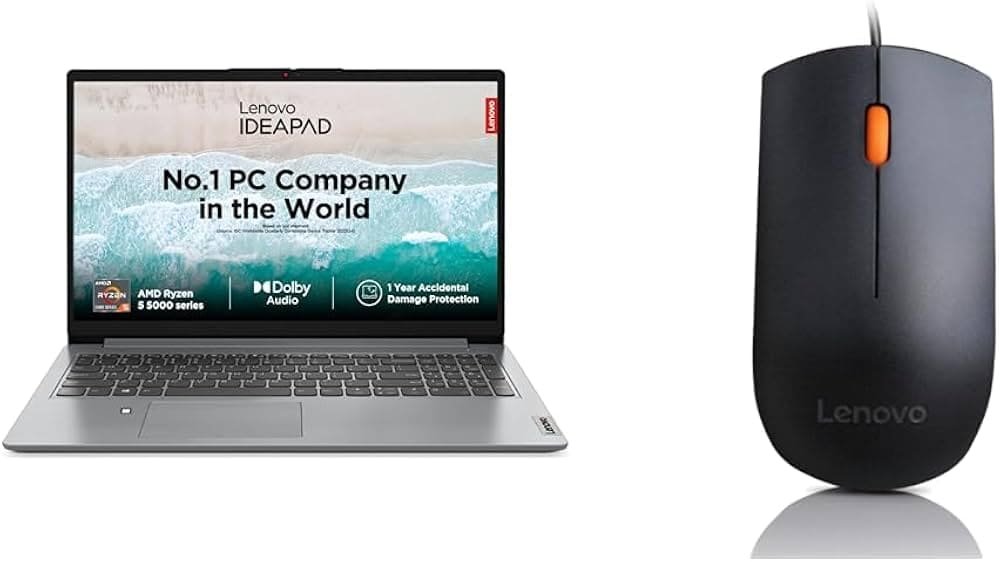
If you are looking for the best laptop under ₹35,000, you have likely come across the Lenovo IdeaPad Slim 1 AMD Ryzen 5 Hexa Core 5500U on almost every list. It has been one of the most recommended under-budget laptops in India for the past few years and continues to sell well in 2026. It’s the best laptop for Students and professional officers.
- Students who need something for online classes, assignments, and light coding.
- Home and office users who mostly work in browsers, Excel, and PowerPoint.
- First-time laptop buyers who want a reliable machine without spending a lot of money.
The Laptop is not built for gamers, video editors, or anyone doing heavy 3D work. But for everyday computing, it has earned its reputation.
A fair question in 2026 is: Is the Ryzen 5 5500U outdated now? Not really. It is an older chip (based on AMD’s Zen 2 design), but it was over-engineered for its price bracket when it launched, and that headroom is exactly why it still holds up for browsing, office work, and study-related tasks years later. Newer chips like the Ryzen 5 7520U are more power-efficient, but the 5500U still has an edge in raw multi-core grunt because it has more cores and a bigger cache.
Lenovo IdeaPad Slim 1 Quick Specifications
| Component | Details |
|---|---|
| Processor | AMD Ryzen 5 5500U (Hexa Core / 6 cores) |
| Architecture | Zen 2 (7nm Lucienne) |
| CPU Cores | 6 |
| Threads | 12 |
| Base Clock Speed | 2.1 GHz |
| Max Boost Clock | Up to 4.0 GHz |
| Cache | 3MB L2 + 8MB L3 |
| Integrated GPU | AMD Radeon Graphics (7 CUs) |
| RAM | 8GB / 16GB DDR4, options available |
| RAM Upgrade Support | Depends on variant; some models have soldered RAM, some have a slot — check before buying |
| Storage | 512GB PCIe NVMe SSD (common configuration) |
| SSD Upgrade Support | Yes, on most variants with an accessible M.2 slot |
| Display Size | 15.6-inch |
| Panel Type | FHD anti-glare (TN or IPS depending on batch — always confirm on the box) |
| Brightness | Around 250 nits (typical for this segment) |
| Resolution | 1920 x 1080 (Full HD) |
| Refresh Rate | 60Hz |
| Color Accuracy | Around 45% NTSC / basic sRGB coverage |
| Keyboard | Full-size island keyboard, some SKUs offer backlighting |
| Trackpad | Precision touchpad with multi-touch gesture support |
| Webcam | 720p HD camera with privacy shutter |
| Microphone | Dual array with noise cancelling |
| Speakers | Dual stereo speakers, Dolby Audio tuning |
| Wi-Fi | Wi-Fi 6 (802.11ax) |
| Bluetooth | Bluetooth 5.0/5.1 |
| USB Ports | USB 2.0, USB 3.2 Gen 1, USB-C |
| HDMI | HDMI 1.4b |
| Audio Jack | 3.5mm combo jack |
| Battery | 42Wh Li-ion, Rapid Charge support |
| Charging | Around 65W charger, fast-charge capable |
| Weight | Approximately 1.6 kg |
| Build Quality | Plastic chassis, sturdy for the price |
| Dimensions | Roughly 359 x 236 x 17.9 mm |
| Operating System | Windows 11 Home |
| Warranty | 1-year standard Lenovo onsite warranty (India) |
| Color Options | Cloud Grey, Abyss Blue (varies by market) |
Note: Lenovo sells this laptop under slightly different model codes and configurations across regions, so always double-check the exact spec sheet on the retailer’s listing before ordering — panel type, RAM upgradability, and backlighting can vary between batches.
Design
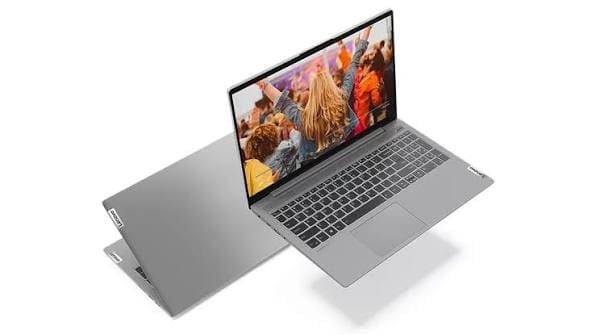
The IdeaPad Slim 1 does not try to look premium, and that is fine, because it is not priced like a premium laptop.
Materials: The body is made entirely of plastic. This keeps the cost down and also keeps the laptop light.
Weight: At around 1.6 kg, it is comfortably light enough to carry in a backpack every day.
Portability: The slim 17.9mm profile makes it easy to slide into most laptop sleeves and college bags.
Travel friendliness: Combined with the compact charger, this is a genuinely easy laptop to carry around for classes, meetings, or working from a coffee shop.
Build quality: For a budget laptop, the chassis does not feel flimsy in daily use. It will not survive rough handling like a MIL-STD-tested laptop, but for normal use, it holds up fine.
Durability: Expect a few years of reliable service if you are not tossing it around.
Opening mechanism: Single-hand lid opening works most of the time, though the hinge tension is on the lighter side, which is normal at this price.
Keyboard deck: There is a small amount of flex when you press down hard in the center, which is typical for plastic-bodied budget laptops.
Lid quality: The lid has slight flex too but does not feel fragile in day-to-day handling.
Overall appearance: Simple, clean lines with a matte finish that resists fingerprints reasonably well. It looks like a sensible laptop, not a flashy one — and that suits its target audience.
Display
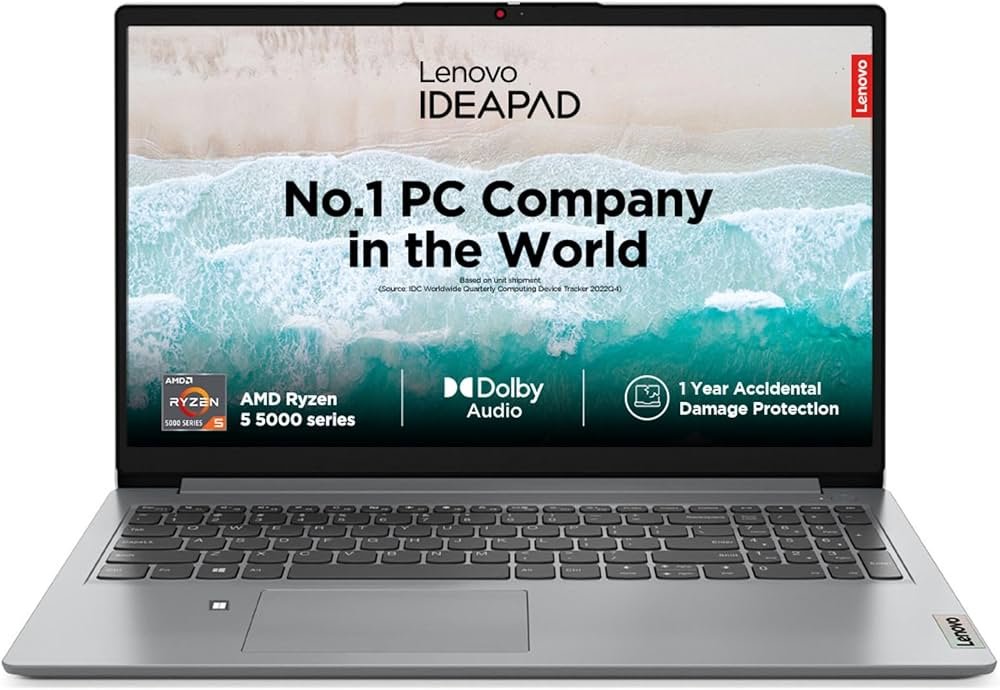
The Lenovo IdeaPad Slim 1 uses a 15.6-inch Full HD display, and this is genuinely one of its strong points for the price.
Resolution: At 1920 x 1080, text is sharp enough for long reading and writing sessions without eye strain.
Brightness: Around 250 nits is enough for indoor use, but you will struggle a bit in bright outdoor sunlight or near a window with direct light hitting the screen.
Outdoor visibility: Not ideal outdoors, so plan to use it indoors or in shaded areas for the best experience.
Viewing angles: Depending on the panel type in your specific unit (TN or IPS), viewing angles can vary. IPS variants handle side-angle viewing much better.
Color quality: Colors look reasonably natural for everyday content, but this is not a display for professional color-critical work like photo editing for print.
Eye comfort: The anti-glare coating helps reduce reflections during long study or work sessions.
Video watching experience: For Netflix, YouTube, and other streaming, the FHD resolution combined with Dolby Audio-tuned speakers makes for a solid casual entertainment experience.
Photo editing: Fine for basic edits in Lightroom or Photoshop, but not recommended for professional color grading due to limited color gamut coverage.
Content consumption: Overall, this is a comfortable everyday screen for browsing, studying, and streaming.
Performance
This is where the Ryzen 5 5500U does most of the talking, so let’s break it down properly.
Zen architecture: The 5500U is built on AMD’s Zen 2 architecture, manufactured on a 7nm process. It’s technically a rebadge of the Ryzen 4000 series mobile chips, but that does not make it a bad processor — Zen 2 is still efficient and capable for everyday tasks.
6 cores, 12 threads: This is the biggest strength of this chip in its price class. Six real cores with hyperthreading (called SMT on AMD chips) means it handles multitasking noticeably better than many quad-core Intel chips found in similarly priced laptops.
Boost clock: Up to 4.0 GHz on a single core lets it handle quick, bursty tasks (like opening an app or a webpage) snappily.
Power efficiency: With a 15W-25W configurable TDP, it balances performance and battery life well.
Real-world performance
Boot speed: With the NVMe SSD, expect boot times in the 10-15 second range from a cold start.
Windows performance: Windows 11 runs smoothly for everyday tasks. Just don’t expect it to feel instant when running several heavy apps together.
Browser performance: Chrome and Edge run fine with 10-15 tabs open, especially on the 16GB RAM variant. The 8GB version will start feeling the pinch with heavy tab usage.
Office work: Excel, Word, and PowerPoint run without any lag, even with reasonably large spreadsheets.
Programming:
- VS Code: Runs smoothly for web development, Python scripts, and general coding.
- Android Studio: Usable, but emulator performance is where it slows down — real device testing via USB is a better workflow on this laptop.
- Python: Handles data science basics, small ML scripts, and general scripting comfortably.
Chrome tabs and multitasking: With 16GB RAM, you can comfortably run Chrome, Spotify, Word, and a PDF reader together. With 8GB, keep multitasking lighter.
Heavy workload: This is not a laptop for video rendering, large Docker containers, or heavy virtual machines. For that kind of work, you would need a more powerful CPU and a dedicated GPU.
Integrated Radeon Graphics – Gaming Performance
The Ryzen 5 5500U comes with AMD Radeon integrated graphics (7 compute units), which is decent for an integrated GPU but is not a gaming GPU by any real measure.
Here are realistic, estimated FPS ranges on low settings at 720p/900p, based on how this integrated GPU class typically performs across review units and community benchmarks — actual numbers will vary with drivers, background apps, and RAM speed:
| Game | Estimated FPS (Low Settings) | Playable? |
|---|---|---|
| Valorant | 60-80 FPS | Yes |
| CS2 | 40-60 FPS | Yes, on low settings |
| GTA V | 25-35 FPS | Playable but not smooth |
| Minecraft | 50-70 FPS | Yes |
| DOTA 2 | 40-55 FPS | Yes |
| League of Legends | 60-90 FPS | Yes |
| Rocket League | 40-50 FPS | Yes |
| EA FC (Career/Casual) | 25-35 FPS | Playable on lowest settings |
| PUBG Lite | 25-35 FPS | Playable but choppy in busy scenes |
Suitable graphics settings: Always run games at the lowest preset, disable shadows and anti-aliasing, and keep resolution at 720p or 900p (below native FHD) for the smoothest experience.
This laptop is fine for esports titles and older/lighter games, but not for AAA gaming or anything graphically demanding.
RAM: 8GB / 16GB
This decision matters a lot, so let’s be direct about it.
8GB RAM version: Good for basic browsing, office work, and online classes. Windows 11 itself uses a good chunk of memory, so multitasking headroom is limited. If you rarely open more than 5-6 browser tabs alongside one or two apps, this will work.
16GB RAM version: Recommended for students who code, use Android Studio, or keep many browser tabs and apps open together. It gives noticeably smoother multitasking and is the safer long-term choice.
Who should buy each:
- 8GB if your budget is tight and your usage is genuinely light (browsing, typing, video calls).
- 16GB if you plan to code, multitask heavily, or want the laptop to stay comfortable for 3-4 years.
Future upgrade possibilities: Some variants have a RAM slot that allows upgrades later; others have RAM soldered to the motherboard. Always check the exact model’s RAM configuration before purchase if upgradability matters to you.
SSD Performance
NVMe SSD: Most configurations ship with a 512GB PCIe NVMe SSD, which is a major upgrade over older laptops that used slow hard drives or SATA SSDs.
Read/write speed: Real-world sequential speeds are typically in the range of 1,500-2,500 MB/s read and 800-1,800 MB/s write, depending on the specific SSD module Lenovo uses in your unit (this can vary by supplier batch).
Boot time: Fast boots (10-15 seconds) thanks to NVMe speeds.
Software loading: Apps like Chrome, Office, and VS Code open quickly compared to older HDD-based laptops.
Upgrade options: On variants with an accessible M.2 slot, you can add or replace the SSD later for more storage.
Keyboard & Touchpad
Typing experience: The keys have a soft, cushioned feel with decent spacing. It’s comfortable for long typing sessions like assignments or reports.
- Key travel: Travel is on the shorter side, which is common for thin laptops, but it does not feel mushy.
- Backlit keyboard: Available on select variants — check the specific SKU, as not all configurations include backlighting.
- Touchpad quality: The precision touchpad tracks accurately and feels smooth under the finger.
- Gesture support: Supports standard Windows gestures like two-finger scroll, pinch-to-zoom, and three-finger app switching.
Webcam & Audio
- 720p webcam: Good enough for online classes and casual video calls, but don’t expect DSLR-like clarity. Low-light performance is average.
- Zoom and Google Meet: Works fine for everyday meetings and lectures, especially in decent lighting.
- Speaker quality: The dual speakers with Dolby Audio tuning sound clear for voice and casual music, though they lack bass depth — normal for a thin laptop.
- Microphone: The noise-cancelling dual mic array does a reasonable job of reducing background noise during calls.
Battery Life
Real-world battery life depends heavily on brightness, Wi-Fi usage, and background apps, but here’s a realistic breakdown based on the 42Wh battery and this processor’s typical power draw:
- Office work (Word, Excel, browsing): Around 7-9 hours
- Video playback: Around 8-10 hours
- Heavy browsing with many tabs: Around 5-6 hours
- Online classes (video call apps running): Around 5-7 hours
Charging speed: With Rapid Charge support, you can get a couple of hours of extra runtime from a short 15-minute top-up.
Battery optimization tips:
- Lower screen brightness to around 50-60%
- Turn off keyboard backlight when not needed
- Close unused background apps
- Use Windows’ built-in battery saver mode during long study sessions
Connectivity
- USB-A (USB 3.2 Gen 1): For fast data transfer with pen drives and external hard drives.
- USB 2.0: Useful for keyboards, mice, and other basic peripherals.
- USB-C: Supports data transfer and, on some variants, charging and DisplayPort output.
- HDMI 1.4b: Lets you connect to an external monitor or TV, supporting up to Full HD/limited 4K output depending on the panel.
- Audio jack: Standard 3.5mm jack for headphones or headsets.
- Wi-Fi 6: Faster and more stable wireless connections, especially useful on routers that also support Wi-Fi 6.
- Bluetooth 5.0/5.1: Reliable connections to wireless earbuds, mice, and keyboards.
Thermal Performance
Heat management: The single-fan cooling design handles everyday workloads fine, keeping the chassis comfortably warm rather than hot.
Fan noise: Under light use, the fan stays mostly quiet. It becomes audible under sustained heavier loads, which is normal for this laptop class.
Long workloads: During extended tasks (like a long video call or a Zoom class with screen sharing), the laptop can get warm around the keyboard’s upper area, but should not become uncomfortable to use.
CPU throttling: Under sustained heavy load (like continuous video exports), some throttling is expected, as is common with thin, single-fan laptops in this price segment.
Software Experience
Windows 11: Comes preinstalled and runs smoothly on this hardware for everyday tasks, though very old or memory-heavy background processes can slow things down on the 8GB variant.
Lenovo Vantage: Lenovo’s own utility app lets you check battery health, update drivers, and tweak some performance settings.
Microsoft Office: Some regional configurations include a trial or bundled version — always check the specific listing, as this varies.
Pre-installed apps: Expect the usual mix of Windows 11 default apps plus a few Lenovo utilities. Most users uninstall the ones they don’t need.
Student Review
For students, this laptop hits a sensible balance.
- Assignments: Word, Excel, and PowerPoint run smoothly for reports, presentations, and spreadsheets.
- Coding: Great for learning Python, web development, or Java in VS Code or lightweight IDEs.
- Online classes: The webcam, mic, and speakers are good enough for daily lectures and video calls.
- Projects: Handles research, typing, and basic data analysis comfortably.
If you’re a computer science or engineering student doing heavier coding (like Android app development with emulators), go for the 16GB RAM variant.
Office User Review
For business and office use, the IdeaPad Slim 1 covers the basics well.
- Excel: Handles reasonably large spreadsheets with formulas without noticeable lag.
- Meetings: Zoom, Teams, and Google Meet run smoothly for standard video calls.
- Email: Outlook and web-based email clients work without issues.
- PowerPoint: Smooth for building and presenting slides.
- ERP/CRM tools: Basic browser-based ERP and CRM dashboards run fine, though very data-heavy enterprise tools may feel sluggish on the 8GB variant.
Programming Performance
- Python: Comfortable for scripting, data analysis with pandas, and learning-level projects.
- Java: Runs fine in IDEs like IntelliJ or Eclipse for coursework-level projects.
- VS Code: Lightweight and responsive, one of the best experiences on this laptop.
- Visual Studio (full version): Usable for smaller .NET projects, but larger solutions will feel slow.
- Android Studio: The IDE itself runs fine; the emulator is the bottleneck. Use a physical Android device for testing when possible.
- Web Development: Great for HTML, CSS, JavaScript, React, and Node.js based projects.
- AI basics: Fine for learning machine learning fundamentals with small datasets in Python (scikit-learn level), but not suited for training large models locally.
Content Creation
- Photoshop: Works for basic photo editing and light retouching, but larger files or heavy layer stacks will slow it down.
- Canva: Runs smoothly since it’s mostly browser-based and lightweight.
- CapCut: Fine for short, simple video edits.
- Filmora: Usable for basic cuts and simple exports, though rendering will take time.
- Premiere Pro: Not recommended — this laptop lacks the CPU/GPU power and RAM headroom for serious video editing.
- DaVinci Resolve: Not recommended for anything beyond very basic trims, due to the lack of dedicated GPU acceleration.
Gaming Review
Limitations: No dedicated GPU means this laptop is not built for gaming. Integrated Radeon graphics can handle light and older titles at low settings, but that’s the ceiling.
Suitable games: Valorant, CS2, League of Legends, Rocket League, Minecraft, and other esports or low-demand titles at reduced settings.
Not suitable games: Modern AAA titles like Cyberpunk 2077, recent Call of Duty entries, or anything demanding ray tracing and high-end GPU rendering.
If gaming is a priority, this is not the right laptop — consider a model with a dedicated GPU instead.
Lenovo IdeaPad Slim 1 Ryzen 5 5500U vs Ryzen 5 7520U
| Feature | Ryzen 5 5500U | Ryzen 5 7520U |
|---|---|---|
| Architecture | Zen 2 (7nm) | Zen 2 refresh, newer I/O (Mendocino platform) |
| Cores/Threads | 6/12 | 4/8 |
| Base/Boost Clock | 2.1 GHz / 4.0 GHz | 2.8 GHz / 4.3 GHz |
| Integrated GPU | Radeon Graphics (7 CUs) | Radeon 610M (2 CUs) |
| Multi-core performance | Better (more cores) | Lower (fewer cores) |
| Single-core/bursty tasks | Good | Slightly better clocks |
| Gaming (integrated GPU) | Better | Weaker GPU, fewer compute units |
| Power efficiency | Good | Slightly more efficient |
| Battery life | Good | Marginally better in some cases |
Who should buy which: If you value multitasking, coding, and even light gaming, the 5500U is actually the stronger choice despite being the “older” chip, because of its extra cores and better integrated graphics. The 7520U wins mainly on efficiency and very light single-threaded tasks. For most students and office users, the 5500U remains the more practical pick.
Lenovo IdeaPad Slim 5 vs Slim 5i
| Feature | IdeaPad Slim 5 | IdeaPad Slim 5i |
|---|---|---|
| Processor Brand | AMD Ryzen | Intel Core |
| Build | Similar aluminum/plastic hybrid options | Similar aluminum/plastic hybrid options |
| Display | Often higher refresh rate options (up to 120Hz on some SKUs) | Similar FHD/QHD options depending on variant |
| Performance | Strong multi-core performance | Strong single-core and iGPU performance (Intel Iris Xe on many models) |
| Battery | Generally efficient | Generally efficient, varies by generation |
| Value | Usually better price-to-performance | Slightly higher price for similar specs on many configurations |
If you want stronger multitasking for the price, the Slim 5 (AMD) usually offers better value. If you prefer Intel’s ecosystem, better single-core performance, or specific Intel-only software optimizations, the Slim 5i is the way to go.
Competitors
vs HP 15 Ryzen 5
| Feature | Lenovo IdeaPad Slim 1 | HP 15 (Ryzen 5) |
|---|---|---|
| Build | Plastic, lightweight | Plastic, slightly heavier in some variants |
| Display | FHD, 250 nits | FHD, similar brightness |
| Battery | ~7-9 hrs (office use) | ~6-8 hrs (office use) |
| Value | Strong | Competitive, often similarly priced |
vs ASUS Vivobook Go
| Feature | Lenovo IdeaPad Slim 1 | ASUS Vivobook Go |
|---|---|---|
| Build | Simple, functional | Slightly more design-forward |
| Performance | Strong multi-core (5500U) | Depends on chip variant, often similar tier |
| Battery | Good | Good, varies by configuration |
vs Acer Aspire Lite
| Feature | Lenovo IdeaPad Slim 1 | Acer Aspire Lite |
|---|---|---|
| Build | Lightweight plastic | Lightweight plastic |
| Display | FHD | FHD |
| Value | Strong | Strong, often a close price match |
vs Dell Inspiron 15
| Feature | Lenovo IdeaPad Slim 1 | Dell Inspiron 15 |
|---|---|---|
| Build | Budget plastic | Slightly more premium finish on some variants |
| Performance | Strong multi-core | Comparable in similar chip tiers |
| After-sales support | Widely available service centers | Widely available service centers |
Across all these comparisons, the IdeaPad Slim 1 holds its own mainly because of the 5500U’s core count advantage and Lenovo’s strong service network in India.
Pros
- Excellent multi-core CPU performance for the price
- 6 cores and 12 threads handle multitasking well
- NVMe SSD for fast boot and app loading
- Full HD display is sharp for everyday use
- Lightweight and easy to carry (~1.6 kg)
- Good battery backup for office/study use
- Wi-Fi 6 support for faster wireless speeds
- Decent speakers with Dolby Audio tuning
- Comfortable keyboard for long typing sessions
- Precision touchpad with reliable gesture support
- Capable integrated graphics for light/esports gaming
- Rapid Charge support for quick top-ups
- Reliable for coding, browsing, and office work
- Strong Lenovo service network for after-sales support
- Good value for money in the budget segment
- Privacy shutter on webcam for added security
Cons
- No dedicated graphics card — not for gaming or heavy creative work
- Display brightness is average, not great outdoors
- The build is entirely plastic and lacks a premium feel
- The base 8GB RAM variant can feel limiting for multitasking
- Fan noise becomes noticeable under sustained load
- Webcam quality is basic (720p)
- Some variants may have soldered RAM (no upgrade path)
- TN panel on some batches has weaker viewing angles than IPS
- Not suitable for video editing or 3D rendering
- Speakers lack bass depth for music lovers
Buying Guide
- Students: A strong pick, especially the 16GB variant, for assignments, coding, and online classes.
- Teachers: Good for lesson planning, video calls, and presentations.
- Office users: Handle Excel, email, and meeting apps comfortably.
- Freelancers: Suitable for writing, browsing, spreadsheet work, and light design tasks.
- SEO professionals: Fine for keyword research tools, browser-based dashboards, and content writing.
- Digital marketers handle ad dashboards, analytics tools, and Canva-based design work well.
- Bloggers: A comfortable everyday writing and research machine.
- Developers: Good for web development and scripting; avoid heavy Android emulator or VM-based work unless you go with 16GB RAM.
- Small business owners: Handle day-to-day billing, email, and basic ERP/CRM dashboards well.
Who Should Avoid It?
- Heavy gamers: No dedicated GPU means modern AAA titles are out of reach.
- 4K video editors: Lacks the GPU power and RAM headroom for smooth 4K editing.
- CAD users: AutoCAD and similar professional design tools need stronger GPUs.
- Machine learning practitioners: Training larger models needs a dedicated GPU with more VRAM.
- 3D rendering artists: Blender and similar 3D tools will be slow and frustrating on integrated graphics.
Price in India (2026)
The Lenovo IdeaPad Slim 1 Ryzen 5 5500U typically sits in the budget segment, generally positioned as one of the more affordable Ryzen 5 hexa-core laptops available in India. Exact pricing varies by RAM/storage configuration, retailer, and ongoing promotions.
Prices tend to drop noticeably during Flipkart Big Billion Days, Amazon Great Indian Festival, and similar sale events, sometimes with additional bank card discounts or exchange offers. If you’re not in a rush, it’s worth waiting for one of these sale periods to get the best deal. Mobile46. Always check the live price on the retailer’s page before purchasing, since prices change frequently.
Final Verdict
The Lenovo IdeaPad Slim 1 with the Ryzen 5 5500U remains a sensible budget laptop choice even in 2026, particularly because its 6-core, 12-thread processor outperforms many newer quad-core budget chips at multitasking. It may not be flashy and isn’t suited for gaming or creative work, but it is a smart, practical laptop for students, office workers, and everyday computing needs.
Ratings (out of 10)
| Category | Rating |
|---|---|
| Performance | 7.5/10 |
| Display | 6.5/10 |
| Battery | 7.5/10 |
| Keyboard | 7/10 |
| Build Quality | 6.5/10 |
| Value for Money | 8.5/10 |
| Overall | 7.3/10 |
Recommendation: If your usage is office work, studying, coding basics, and everyday browsing, this laptop is a smart buy — especially the 16GB RAM variant. If you need gaming or creative performance, look elsewhere.
Frequently Asked Questions
1. Is Ryzen 5 5500U still good in 2026? Yes, for everyday tasks like browsing, office work, coding basics, and studying, it remains a capable processor thanks to its 6-core, 12-thread design.
2. Can it run GTA V? Yes, but only at low settings and reduced resolution, with FPS typically in the 25-35 range — playable, not smooth.
3. Can I upgrade RAM? On variants with a RAM slot, yes. Some configurations have soldered RAM with no upgrade path, so check your specific model before buying.
4. Can I upgrade SSD? Most variants with an accessible M.2 slot allow SSD upgrades or replacement.
5. Does it have an IPS display? Some batches use IPS panels while others use TN panels. Always confirm the exact panel type in the listing before purchase.