
The Apple iPad Air M3 is one of the most talked-about tablets of 2025–2026, and for good reason. It sits at a sweet spot in Apple’s lineup — powerful enough for professionals, affordable enough for students, and versatile enough for everyone in between. Whether you’re a college student hunting for the best iPad for note-taking, a business traveler who needs a productivity machine, or a casual user upgrading from an older tablet, the iPad Air M3 deserves a serious look.
Apple iPad Air M3 Overview
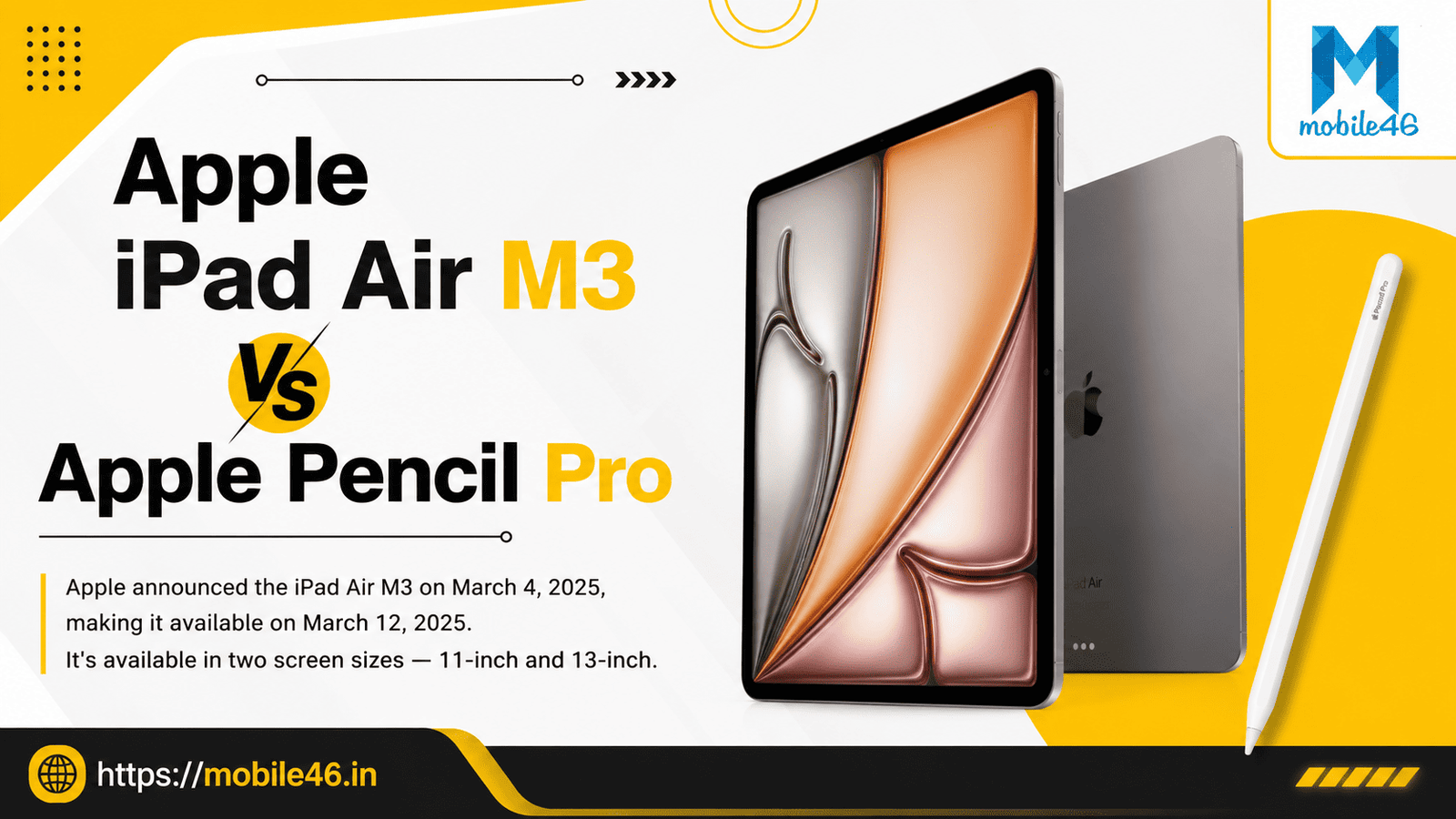
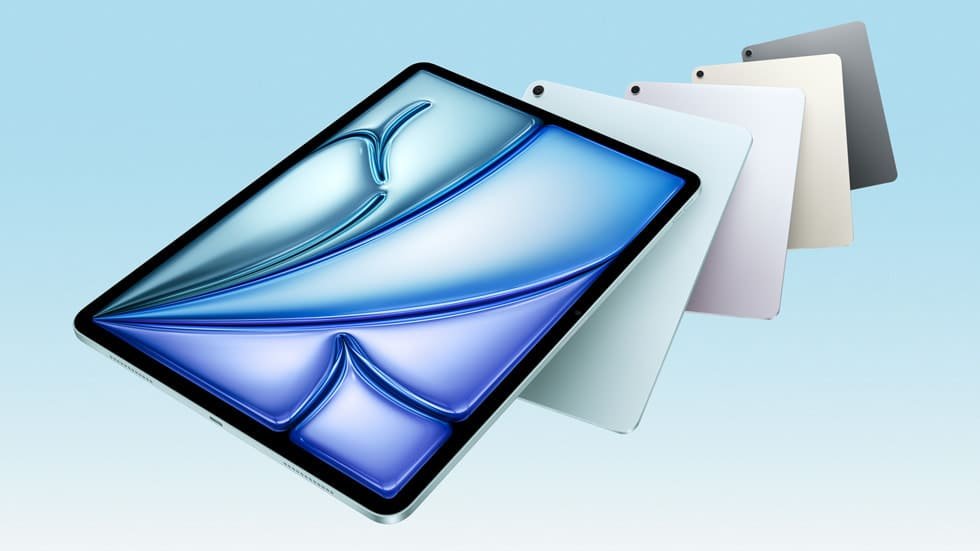
Apple announced the iPad Air M3 on March 4, 2025, making it available on March 12, 2025. It’s available in two screen sizes — 11-inch and 13-inch — and comes in four colors: Space Gray, Starlight, Purple, and Blue.
Storage options: 128GB, 256GB, 512GB, and 1TB
Connectivity: Wi-Fi 6E and optional Wi-Fi + Cellular
Starting price: $599 (11-inch) | $799 (13-inch)
11-Inch iPad Air (M3)
- Wi-Fi Only (128GB): Starts at approx. Rs59,900
- Wi-Fi + Cellular (128GB): Starts at approx. Rs74,900
13-Inch iPad Air (M3)
- Wi-Fi Only (128GB): Starts at approx. Rs79,900
- Wi-Fi + Cellular (128GB): Starts at approx. Rs94,900
Note: Storage options for both sizes scale up to 256GB, 512GB, and 1TB. Higher storage and cellular capabilities increase the price accordingly.
It supports the Apple Pencil Pro, Apple Pencil (USB-C), the new Magic Keyboard for iPad Air, and Smart Folio.
Apple iPad Air M3 Specifications
| Feature | iPad Air M3 (11-inch) | iPad Air M3 (13-inch) |
|---|---|---|
| Display | 11-inch Liquid Retina IPS | 13-inch Liquid Retina IPS |
| Resolution | 2360 x 1640 (261 PPI) | 2732 x 2048 (263 PPI) |
| Refresh Rate | 60Hz | 60Hz |
| Brightness | 500 nits | 600 nits |
| Processor | Apple M3 (3nm) | Apple M3 (3nm) |
| CPU | 8-core | 8-core |
| GPU | 9-core | 9-core |
| Neural Engine | 16-core | 16-core |
| RAM | 8GB | 8GB |
| Storage | 128GB / 256GB / 512GB / 1TB | 128GB / 256GB / 512GB / 1TB |
| Rear Camera | 12MP Wide | 12MP Wide |
| Front Camera | 12MP Ultra-Wide (landscape) | 12MP Ultra-Wide (landscape) |
| Video | 4K @ 60fps | 4K @ 60fps |
| Battery | ~7606 mAh / Up to 10 hrs | ~9705 mAh / Up to 10 hrs |
| Port | USB-C (USB 3) | USB-C (USB 3) |
| Connectivity | Wi-Fi 6E, Bluetooth 5.3 | Wi-Fi 6E, Bluetooth 5.3 |
| Biometrics | Touch ID (top button) | Touch ID (top button) |
| OS | iPadOS 18 | iPadOS 18 |
| Dimensions | 247.6 x 178.5 x 6.1mm | 280.6 x 214.9 x 6.1mm |
| Weight | 460g | 617g |
Design and Build Quality
The iPad Air M3 carries forward the same iconic design that Apple refined from 2020 onward — and it still looks strikingly modern. The premium aluminum unibody construction feels solid in hand while remaining impressively thin at just 6.1mm. Uniform bezels on all four sides give it a balanced, professional look that stands out from budget Android tablets.
At 460g for the 11-inch model, it is light enough to hold during a long lecture, a cross-country flight, or an extended creative session. The Touch ID sensor integrated into the top button is fast, reliable, and feels natural. Available in four tasteful finishes, the iPad Air M3 is a device you’ll want to carry everywhere.
Durability is solid. The aluminum body resists everyday bumps and scratches, though a case is recommended for clumsy environments. For students, professionals, and daily commuters, this design delivers the perfect mix of portability and durability.
Display Review
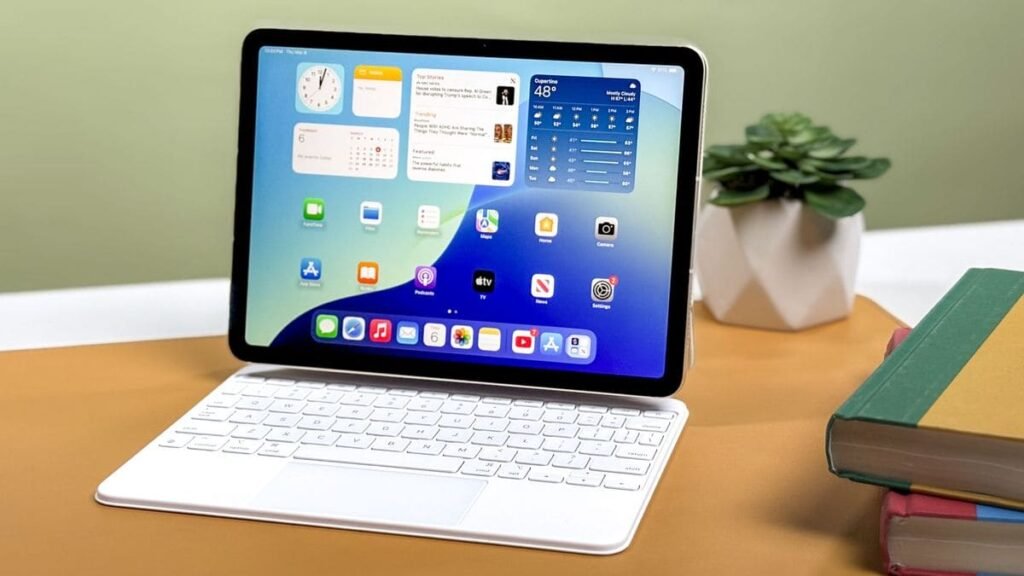
The iPad Air M3’s Liquid Retina IPS LCD display is a genuine pleasure to use. Colors are vivid and accurate thanks to P3 wide color gamut and True Tone technology, which automatically adjusts white balance to match the ambient lighting in any room.
Text is sharp, reading feels natural, and the anti-reflective coating makes outdoor use practical. Whether you’re annotating a PDF, watching a Netflix series, or editing photos, the display handles everything beautifully.
The one limitation worth mentioning is the 60Hz refresh rate. In 2026, this feels slightly dated when competitors like the iPad Pro M4 offer a 120Hz ProMotion display. Scrolling is not laggy, but the silkiness that comes with high refresh rates is absent. For most users — especially students, writers, and casual viewers — this will not be a dealbreaker. For gamers or those who have used a ProMotion display before, it may feel noticeable.
Apple M3 Chip: Performance Review
The M3 chip is where the iPad Air M3 earns its credentials as a true performance powerhouse. Built on a 3nm architecture, the M3 features an 8-core CPU, a 9-core GPU, and a 16-core Neural Engine.
Compared to the iPad Air M1, Apple’s M3 delivers up to 35% faster multithreaded CPU performance and 40% faster graphics performance. In day-to-day use, everything feels instant — apps open in a flash, multitasking is smooth, and the device never stutters even with heavy workloads like video editing in LumaFusion, running multiple browser tabs, or using productivity suites.
The 16-core Neural Engine powers Apple Intelligence, Apple’s built-in AI platform. Features like Smart Script (which refines your handwriting in real time), Writing Tools, and enhanced Siri capabilities all run on-device for privacy. As Apple Intelligence continues to evolve into 2026, owning an M3-powered device ensures you’re on the right side of that growth.
Long-term viability is a real strength here. Apple typically supports its devices for 7+ years. The M3 chip, as we’ve seen with M-series Macs, will remain capable well into the early 2030s, making this a future-proof investment.
Gaming Performance
The iPad Air M3 handles gaming impressively well. The 9-core GPU is capable of running AAA mobile titles and Apple Arcade games at high frame rates without breaking a sweat. Games like Genshin Impact, Alto’s Odyssey, and grid-based strategy games run beautifully on the Liquid Retina display.
Heat management is well controlled. During extended gaming sessions, the device gets mildly warm — nothing uncomfortable or alarming. Battery drain during gaming is higher than during regular use, typically cutting the total runtime to around 6–7 hours, but that’s expected behavior for any tablet.
The 60Hz display is the only limiting factor for hardcore gamers, as some competitors and the iPad Pro M4 offer smoother visual experiences. For the majority of gamers, though, the iPad Air M3 delivers a consistently enjoyable experience.
Apple Pencil Pro Experience
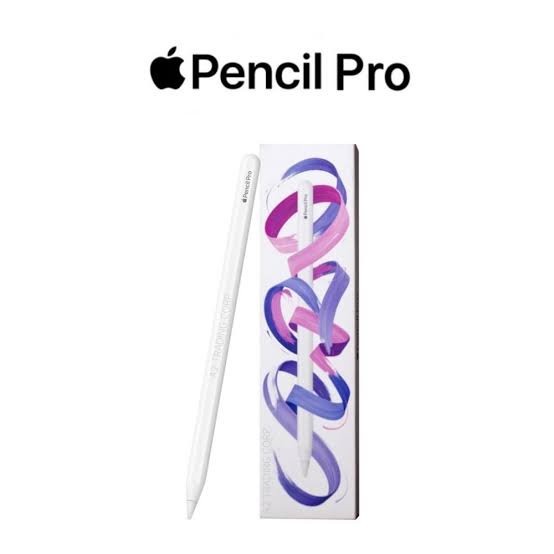
The iPad Air M3 is fully compatible with the Apple Pencil Pro, the most advanced stylus Apple has released for non-Pro iPads. It supports hover detection, squeeze gestures, double-tap, and impressive tilt sensitivity, giving it a feel very close to sketching on paper.
For students, the Apple Pencil Pro transforms the iPad into a digital notebook. Note-taking apps like Notability and GoodNotes benefit enormously from the Pencil’s low latency and pressure sensitivity. Handwriting feels natural, and with Smart Script, your notes are automatically cleaned up in real time.
For artists and designers, the Pencil Pro opens up illustration workflows using apps like Procreate. Professional illustrators working in mobile-first environments will find the combination of the M3 chip and Pencil Pro more than capable.
Magic Keyboard Experience
The new Magic Keyboard for iPad Air (2025 edition) is a meaningful upgrade over its predecessor. It features a larger trackpad, a full row of function keys, and — crucially — pass-through charging, so you can charge your iPad by plugging into the keyboard’s USB-C port.
Typing on the Magic Keyboard is a genuinely good experience. The keys have satisfying travel and are spaced comfortably, even for touch typists. Combined with iPadOS’s desktop-class multitasking with Stage Manager, the iPad Air M3 can serve as a laptop replacement for many workflows — writing, spreadsheets, email, video calls, and presentations.
For students and business users who frequently switch between tablet and laptop modes, the Magic Keyboard makes the iPad Air M3 uniquely versatile.
Best Tablet for Note-Taking: iPad Air M3 Review
If you’re searching for the best tablet for note-taking, the iPad Air M3 checks every important box. The large, sharp display makes reading and annotating PDFs comfortable. Apps like GoodNotes 6 and Notability are optimized for iPad and work beautifully with Apple Pencil Pro.
In a classroom setting, you can annotate lecture slides, record audio alongside your notes, sketch diagrams, and organize notebooks by subject — all in one device. The iPad’s battery easily lasts through a full day of lectures.
Research workflows benefit too. You can highlight papers, import PDFs from cloud storage, cross-reference multiple sources using split-screen, and export your notes as PDFs with a single tap.
Is iPad Air M3 Good for College Students?
Absolutely. The iPad Air M3 is arguably the best iPad for students in 2026. Here’s why:
- Assignments: Microsoft Word, Google Docs, and Pages all run flawlessly. Type essays with the Magic Keyboard, annotate references with Apple Pencil Pro.
- Presentations: Keynote and PowerPoint on iPad are polished and powerful. The 11-inch screen is large enough to design, while the 13-inch model is perfect for presenting.
- Online learning: Zoom, Google Meet, and Microsoft Teams all work seamlessly. The landscape front camera is well-positioned for video calls.
- Research: Multi-tab browsing, PDF annotation, and note-taking apps all work simultaneously via split-screen.
- Budget: At $599, the iPad Air M3 costs less than most laptops, and it does more in student scenarios than a similarly priced Chromebook.
For iPad Air M3 for online classes and study, the combination of video calling apps, e-learning platforms, long battery life, and lightweight design makes it a near-perfect campus companion.
Camera Review
The iPad Air M3 carries a 12MP wide rear camera capable of shooting 4K video at up to 60fps. It’s not a device you’d replace your smartphone camera with, but it’s excellent for scanning documents, shooting whiteboard content, and light content creation.
The 12MP ultra-wide front camera is positioned in landscape orientation — a critical feature for video calls during online classes or business meetings. The Center Stage feature automatically keeps you centered during calls, even if you move around. Video quality on calls is clear and detailed.
Battery Life Review
Apple rates the iPad Air M3 at up to 10 hours of battery life, and real-world usage confirms this is accurate — sometimes generous.
- Study/productivity use: 9–11 hours
- Streaming video: 9–10 hours
- Gaming: 6–7 hours
- Mixed daily use: 8–10 hours
The iPad Air M3’s battery is more than sufficient for a full day of school, work, or travel without needing a charger. The 13-inch model packs a larger battery (~9705 mAh) and similarly achieves around 10 hours, despite the larger display.
iPad Air M3 for Business and Productivity
The iPad Air M3 is a credible business and productivity tool. Here’s how it performs across key professional scenarios:
- Office work: Excel, Word, and PowerPoint all have excellent iPad versions. Stage Manager enables desktop-like multitasking.
- Email: Apple Mail, Gmail, and Outlook run smoothly. Keyboard navigation makes managing a full inbox efficient.
- Video conferencing: Teams, Zoom, and Meet all work great; the Center Stage camera keeps you in frame automatically.
- Business travel: At 460g and 6.1mm thin, it’s lighter and more portable than most laptops.
- Presentations: Connect to an external display via USB-C and present wirelessly or wired.
For field workers, consultants, or anyone who moves between meetings frequently, the iPad Air M3 + Magic Keyboard combination provides a genuinely capable mobile office.
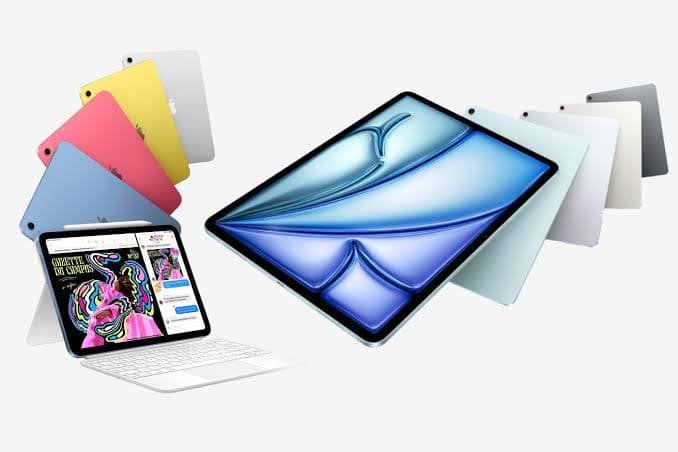
Apple iPad Air M3 vs iPad 11th Gen: Which Should You Buy?
| Feature | iPad Air M3 | iPad 11th Gen (A16) |
|---|---|---|
| Display | 11″ Liquid Retina, 500 nits | 10.9″ LCD, 500 nits |
| Processor | Apple M3 | Apple A16 Bionic |
| RAM | 8GB | 6GB |
| Refresh Rate | 60Hz | 60Hz |
| Laminated Display | Yes | No |
| Apple Pencil | Pencil Pro & USB-C | USB-C only |
| Magic Keyboard | Yes (full) | Limited (Folio only) |
| USB-C Speed | USB 3 | USB 2 |
| Stage Manager | Yes | No |
| Apple Intelligence | Yes | Yes |
| Starting Price | $599 | ~$329 |
Recommendation: If budget is the primary concern, the iPad 11th Gen is a solid tablet for basic tasks. But for students who want Apple Pencil Pro support, Stage Manager multitasking, a laminated display, and significantly more processing power, the iPad Air M3 is worth the extra spend. It will last noticeably longer and handle more demanding workflows.
Apple iPad Air M3 vs iPad Pro M4 Comparison
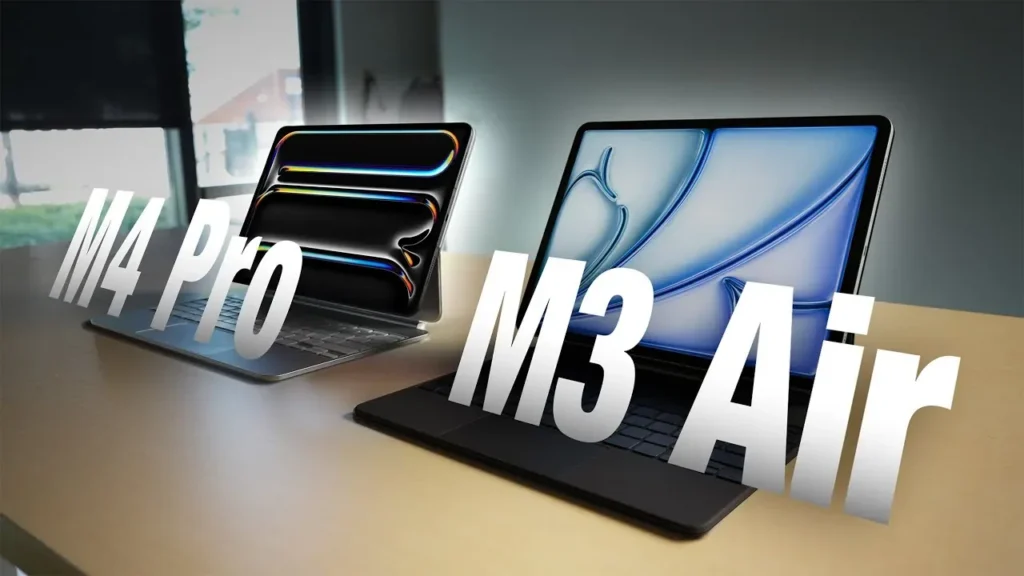
| Feature | iPad Air M3 | iPad Pro M4 |
|---|---|---|
| Display | IPS LCD, 60Hz | OLED, 120Hz ProMotion |
| Processor | Apple M3 | Apple M4 |
| GPU | 9-core | 10-core |
| Face ID | No (Touch ID) | Yes |
| Nano-texture glass | No | Optional |
| Starting Storage | 128GB | 256GB |
| Starting Price | $599 | $999 |
| Weight (11-inch) | 460g | 446g |
| Biometrics | Touch ID | Face ID |
Recommendation: The iPad Pro M4 is the best iPad Apple makes — but at $400 more for the base model, the premium is steep. For students, content creators, and business users who don’t need the OLED ProMotion display or the very latest M4 chip, the iPad Air M3 delivers 90% of the experience at 60% of the price. Only professional video editors, 3D artists, and power users who will genuinely push the M4’s extra capabilities should stretch for the Pro.
Pros and Cons
Pros:
- Excellent M3 chip performance — fast, capable, and future-proof
- Full Apple Intelligence support for AI-powered features
- Apple Pencil Pro support — the best stylus experience available
- New Magic Keyboard with pass-through charging and function row
- Lightweight, thin, premium aluminum design
- Great all-day battery life (up to 10 hours)
- Landscape front camera with Center Stage for video calls
- Available in 11-inch and 13-inch sizes
- 7+ years of software support expected
Cons:
- 60Hz display — no ProMotion compared to iPad Pro M4
- Design unchanged since 2020
- No Face ID (Touch ID only)
- Base storage of 128GB may feel limited over time
- Magic Keyboard and Apple Pencil Pro sold separately (significant added cost)
- Not a significant upgrade over the iPad Air M2 for existing owners
Who Should Buy the Apple iPad Air M3?
- Students and college students who want the best note-taking and study tablet
- Teachers and educators who need annotation tools and video call capabilities
- Business users who want a portable productivity device to replace or supplement a laptop
- Content creators who work with video, art, or design on mobile
- Casual users upgrading from an older iPad or Android tablet who want premium performance
- Anyone entering the Apple ecosystem who wants a device that will last 5–7 years
Who Should Avoid the Apple iPad Air M3?
- Budget shoppers — the iPad 11th Gen at ~$329 covers basic needs for much less
- iPad Air M2 owners — the upgrade is minimal; wait for the M4 generation
- Professional video editors and 3D artists — the iPad Pro M4 with its OLED display and M4 chip is better suited
- Users who need cellular and are price-sensitive — the cellular version significantly increases the cost
Is Apple iPad Air M3 Worth Buying in 2026?
The iPad Air M3 is the best all-around tablet for most buyers in 2026. Here’s the summary:
- Performance: The M3 chip handles every task you’ll realistically throw at it, and then some.
- Value: At $599, it undercuts the iPad Pro M4 by $400 while delivering comparable real-world performance for most users.
- Longevity: Apple’s track record of 7+ years of software support means this is a long-term investment.
- Student use: Exceptional — from note-taking to online classes to research.
- Productivity use: Paired with the Magic Keyboard, it can genuinely replace a laptop for many workflows.
- Entertainment use: The Liquid Retina display and stereo speakers deliver a premium media experience.
Frequently Asked Questions (FAQs)
Q1. Is Apple iPad Air M3 worth buying in 2026?
Yes. The M3 chip, Apple Intelligence support, Apple Pencil Pro compatibility, and 7+ years of software longevity make it a compelling purchase for students, professionals, and everyday users.
Q2. Is iPad Air M3 good for students?
It’s one of the best tablets for students available. It supports Apple Pencil Pro for note-taking, runs all study apps flawlessly, lasts all day on a single charge, and is significantly lighter than most laptops.
Q3. Can iPad Air M3 replace a laptop?
For many users — yes. Paired with the Magic Keyboard, it handles writing, spreadsheets, email, video calls, and presentations well. Specialized professionals (developers, data scientists) may still prefer a Mac, but for most workflows it is a genuine laptop alternative.
Q4. Does iPad Air M3 support Apple Pencil Pro?
Yes, the iPad Air M3 fully supports the Apple Pencil Pro, including hover detection, squeeze gestures, and tilt sensitivity.
Q5. Is iPad Air M3 good for note-taking?
Excellent. With the Apple Pencil Pro and apps like GoodNotes or Notability, it offers one of the best handwriting and annotation experiences of any tablet in 2026.
Q6. Which is better: iPad Air M3 or iPad 11th Gen?
The iPad Air M3 is significantly better in performance (M3 vs A16), display quality (laminated vs non-laminated), stylus support (Pencil Pro), and multitasking (Stage Manager). The iPad 11th Gen is better if budget is the primary concern.
Q7. Which is better: iPad Air M3 or iPad Pro M4?
The iPad Pro M4 wins on display (OLED, 120Hz), chip (M4), and Face ID. But the iPad Air M3 costs $400 less and handles 90% of the same tasks. Unless you need the Pro’s specific upgrades, the Air M3 is the smarter buy.
Q8. Is iPad Air M3 good for gaming?
Yes. The 9-core GPU handles most mobile games at high settings. The 60Hz display is the only limitation for frame rate enthusiasts, but the overall gaming experience is excellent.
Q9. How long does the battery last?
Apple rates it at up to 10 hours. Real-world performance ranges from 6–7 hours under heavy gaming load to 9–11 hours during light productivity and study use.
Q10. Is iPad Air M3 good for business users?
Absolutely. With Stage Manager, the Magic Keyboard, Microsoft Office apps, and excellent video conferencing performance, the iPad Air M3 is a capable business device. Its portability makes it particularly strong for travel-heavy professionals.
Final Verdict
The Apple iPad Air M3 is, simply put, the best tablet for most people in 2026. It’s powerful, portable, beautifully built, and backed by Apple’s unmatched software ecosystem. The M3 chip is future-proof, Apple Intelligence keeps evolving, and the Apple Pencil Pro support puts it in a league of its own among mid-range tablets.